New free TD Snap template: Tim Hortons Menu
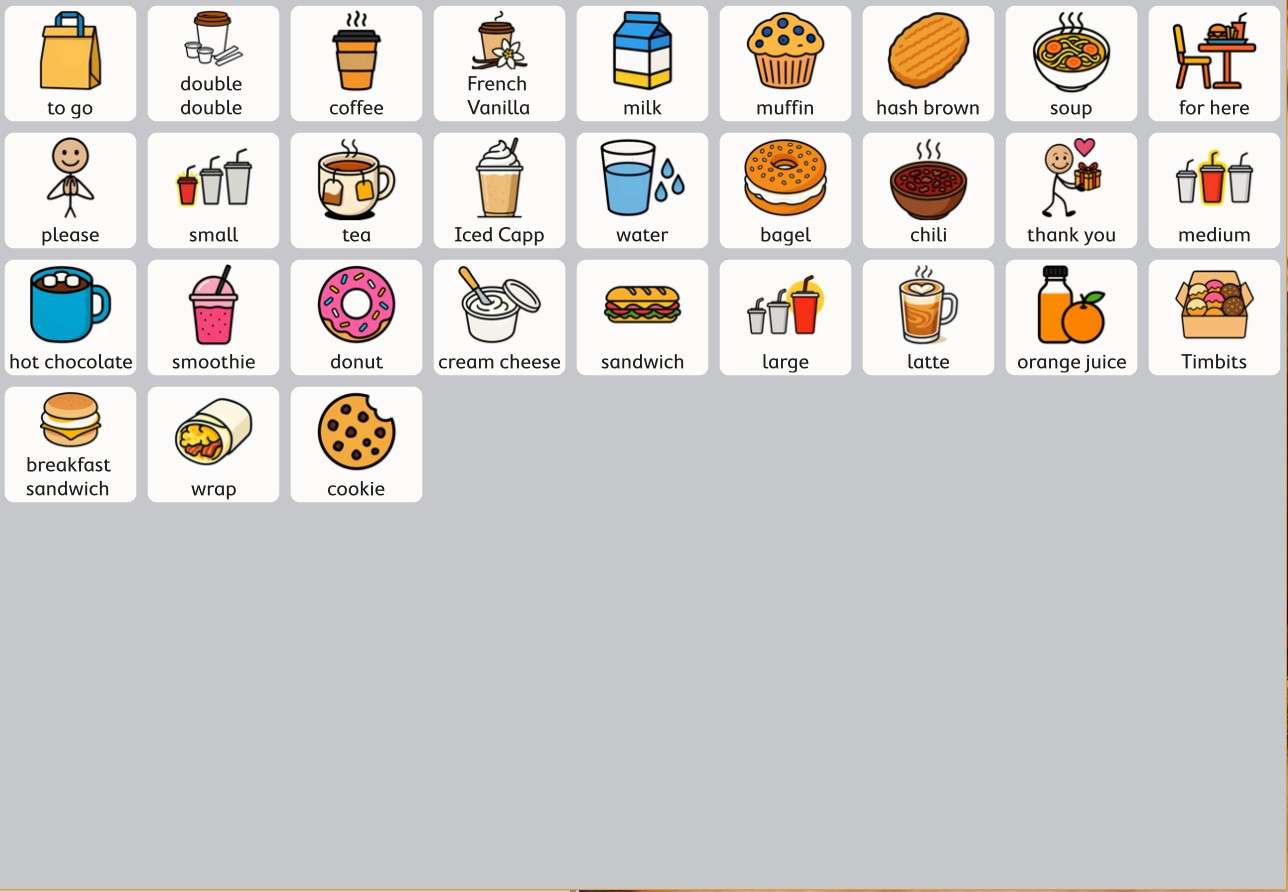
One TD Snap page for ordering at Tim Hortons: coffee, double double and Iced Capp, donuts and Timbits, bagels, breakfast sandwiches, soup and chili, and the words for placing the order yourself.
Ordering at a counter is a script: what you want, how you want it, what size, here or to go, please, thank you. This page is built around that script, so a person can place the whole order without someone else speaking for them.
Ten drinks, from coffee and the Canadian double double to latte, French Vanilla, Iced Capp and hot chocolate, then twelve things to eat: donut, Timbits, muffin, bagel with cream cheese, breakfast sandwich, hash brown, wrap, soup and chili. Small, medium and large answer the first question the cashier asks, and for here and to go answer the second.
It pairs with our other restaurant menu pages, which use the same pictures for the same words.
What’s on the pages
- Tim Hortons Menu: One page — coffee, tea, hot chocolate, latte, French Vanilla, Iced Capp, smoothie, orange juice, milk, water; donut, Timbits, muffin, bagel, cream cheese, breakfast sandwich, hash brown, wrap, soup, chili, sandwich, cookie; double double, small, medium, large; for here, to go, please, thank you.
It is a TD Snap page set. Each page keeps its own fixed grid, so every button shows whatever page set the device uses, and the same row along the bottom moves between its pages. TD Snap templates are new for us: tell us how the import goes.
It is free, like everything in our library. Get the Tim Hortons Menu template for TD Snap, or browse the whole free library.
Need something we do not have yet? Tell us what to build. Requests from families are where most of these come from.