New free Proloquo2Go template: 100s Chart
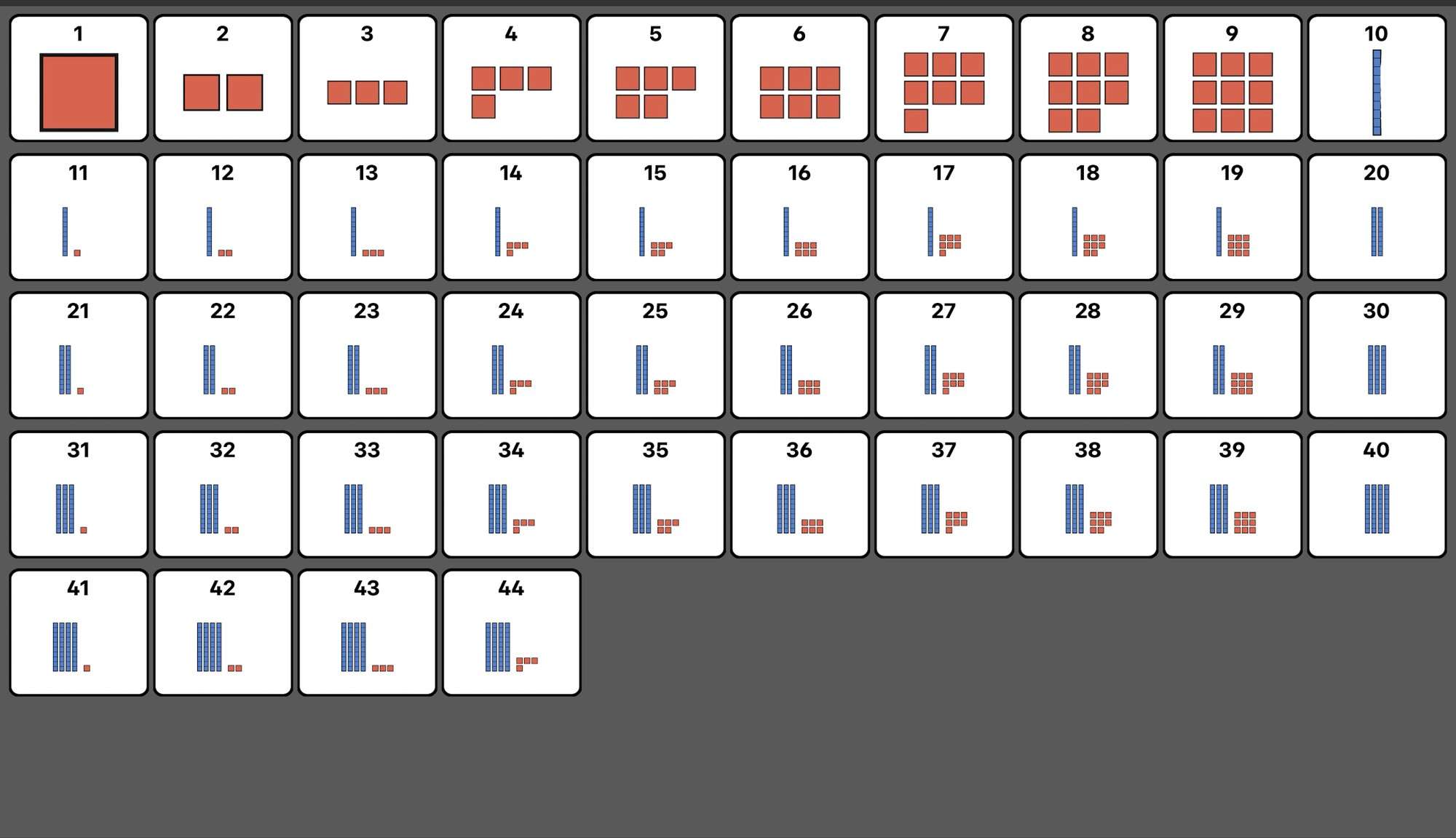
Three Proloquo2Go folders that turn a hundreds chart into a talking one: every number from 1 to 100 drawn with tens and ones blocks, plus the counting and comparing words.
A printed hundreds chart works because every number sits in its tens column, so counting by tens runs straight down one column and every row ends on a multiple of ten. The tens column is one shade darker so count by 10s is easy to see, and each button says the number out loud.
What’s on the pages
- 100s Chart: 1, 2, 3, 4, 5, 6, 7, 8, 9, 10, 11, 12, 13, 14, 15, 16, 17, 18, 19, 20, 21, 22, 23, 24, 25, 26, 27, 28, 29, 30, 31, 32, 33, 34, 35, 36, 37, 38, 39, 40, 41, 42, 43, 44.
- Numbers 45 to 88: 45, 46, 47, 48, 49, 50, 51, 52, 53, 54, 55, 56, 57, 58, 59, 60, 61, 62, 63, 64, 65, 66, 67, 68, 69, 70, 71, 72, 73, 74, 75, 76, 77, 78, 79, 80, 81, 82, 83, 84, 85, 86, 87, 88.
- 89-100 and Talk: 89, 90, 91, 92, 93, 94, 95, 96, 97, 98, 99, 100, number, count, count by 2s, count by 5s, count by 10s, find, +, −, =, more than, less than, before, after, between, next, how many, my turn, your turn.
It is built for Proloquo2Go, 3 folders on Proloquo2Go. That is the one thing worth checking before you download: a page laid out for one grid size will not fit another. In TouchChat you can see which vocabulary is in use under Menu → Vocab → Choose Vocab.
It is free, like everything in our library. Get the 100s Chart template for Proloquo2Go, or browse the whole free library.
Need something we do not have yet? Tell us what to build. Requests from families are where most of these come from.