New free Proloquo2Go template: Dunkin’ Menu
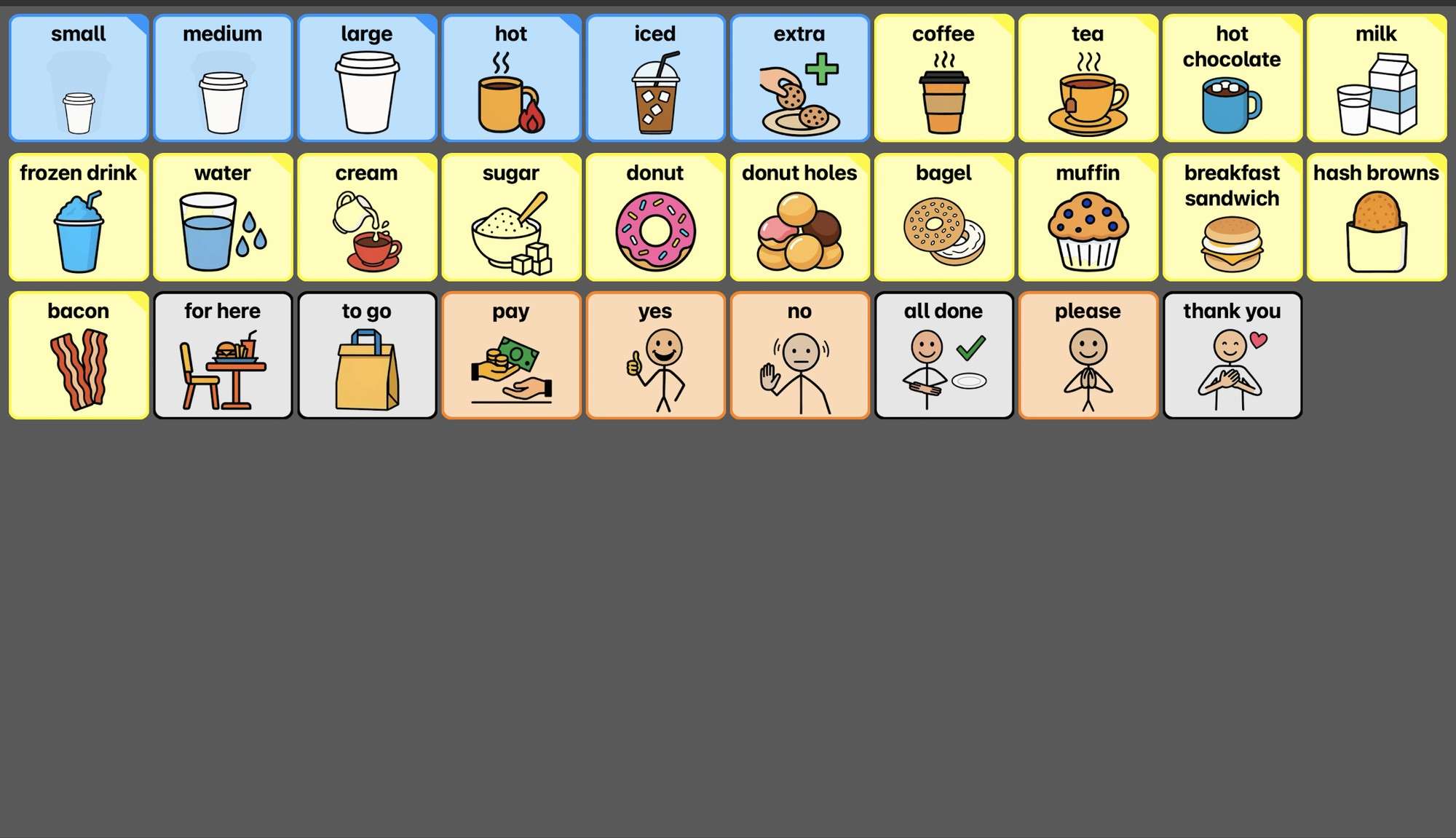
Order at Dunkin’ without needing to speak: a child can pick the size, hot or iced, say what goes in it, choose a donut or sandwich, and answer here or to go.
Ordering a coffee is a script, and the worker asks the questions in the same order every time: what size, hot or iced, anything in it, anything to eat, here or to go.
The questions at the counter are mostly yes or no (cream?, sugar?, anything else?), so yes and no sit side by side with please, thank you and all done. extra is there for the child who wants more of something.
It is kept small on purpose: three sizes, a handful of drinks and add-ins, and a few things to eat. Fewer choices means a faster, more confident order.
What’s on the pages
- Dunkin’ Menu: small, medium, large, hot, iced, extra, coffee, tea, hot chocolate, milk, frozen drink, water, cream, sugar, donut, donut holes, bagel, muffin, breakfast sandwich, hash browns, bacon, for here, to go, pay, yes, no, all done, please, thank you.
It is built for Proloquo2Go, 1 folder on Proloquo2Go. That is the one thing worth checking before you download: a page laid out for one grid size will not fit another. In TouchChat you can see which vocabulary is in use under Menu → Vocab → Choose Vocab.
It is free, like everything in our library. Get the Dunkin’ Menu template for Proloquo2Go, or browse the whole free library.
Need something we do not have yet? Tell us what to build. Requests from families are where most of these come from.